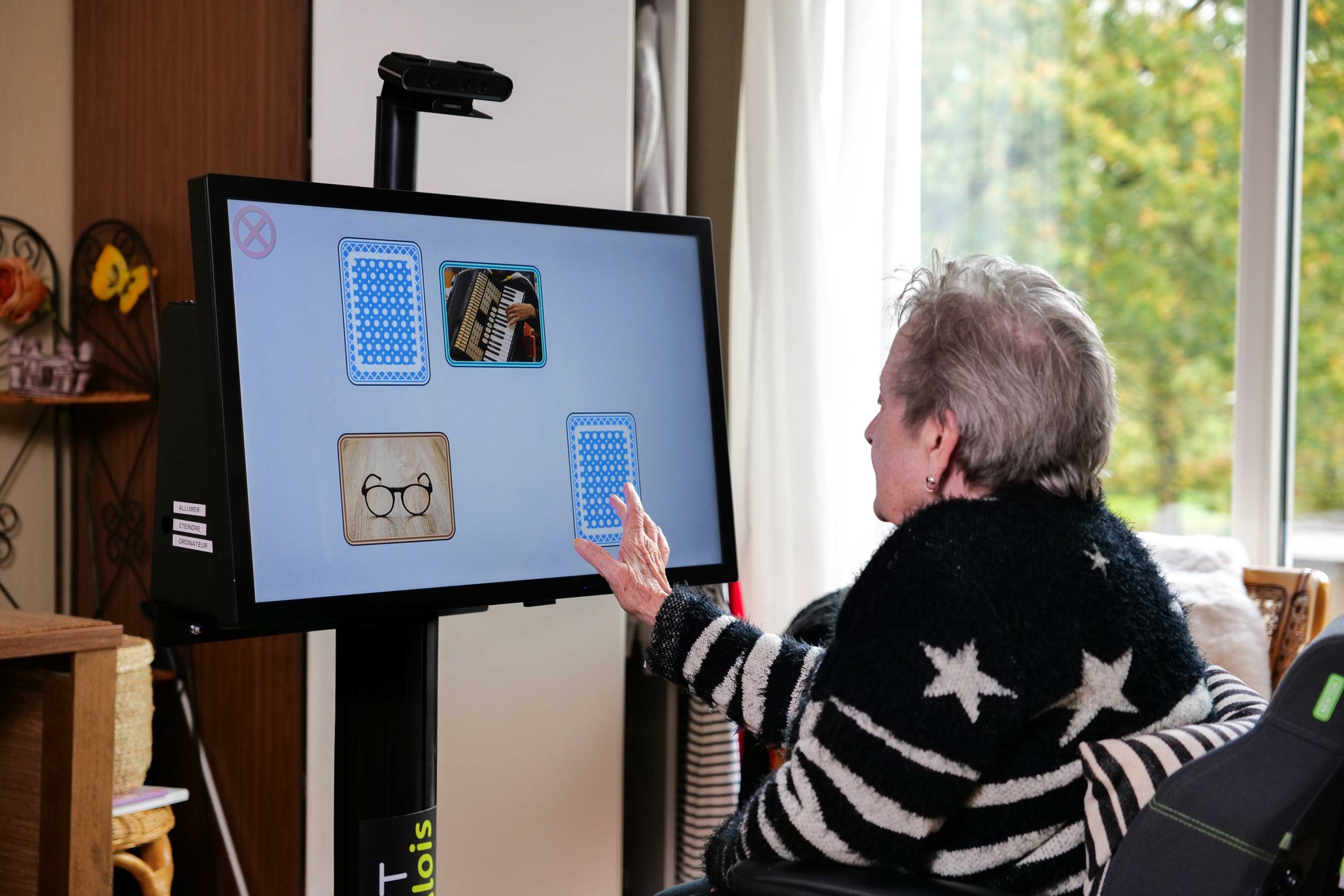
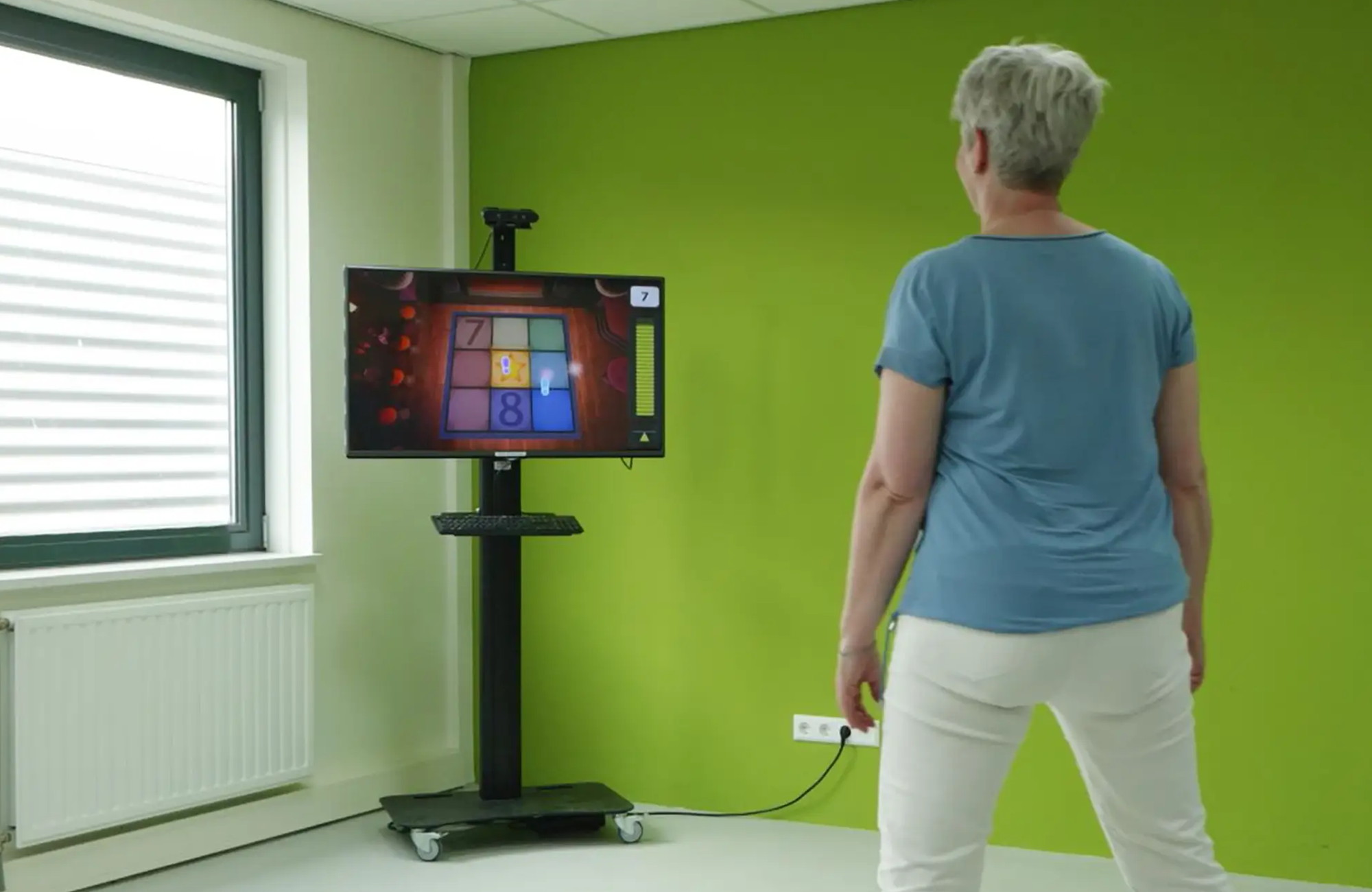
SilverFit 3D uses a camera to recognise clients’ movements and translate them into interactive exercises. This allows clients to exercise without wearing sensors on their body. The movement itself controls the game: when a client moves an arm, stands up or shifts their body, for example, the exercise responds directly.
But what exactly does the camera see? Is a client filmed during exercise, and what information is stored? In this article, we explain how the SilverFit 3D camera works, how motion tracking is used within the exercises and how client data and privacy are handled.
The technology behind motion tracking
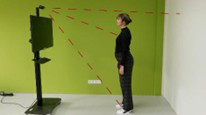
SilverFit 3D was developed to allow therapeutically relevant movements to be practised in an accessible way. Instead of sensors that need to be attached to the body, the system uses a 3D camera. This registers movements of the arms, legs, trunk and head, among other things.
Its operation can be compared to an interactive mirror. The camera detects the client’s movement and the system translates it directly into an action on the screen. This means the client immediately sees what effect a movement has within the game while exercising.
For many exercises, SilverFit 3D uses a depth image based on infrared light. The camera emits infrared light, which is reflected by people and objects in the room. Based on this, the system can determine where someone is and how they are moving. The depth image does not provide a detailed image in which a client is personally recognisable.
The software uses reference points, including the position of the head in relation to the shoulders. This allows a human figure and its movements to be tracked. The game can then respond directly to that movement.
For certain exercises, detection methods that use the camera’s normal colour image are also used. This technology may, for example, be less sensitive to interference from infrared light, such as bright sunlight, and in some situations can distinguish more effectively between a person and a mobility aid such as a wheelchair. This method is also affected by environmental factors that can influence detection, such as light, contrast and colours. For each exercise, it is therefore determined which detection method, or combination of methods, is best suited to the movement and the practical situation.
From movement to interactive exercise
The camera is not an end in itself. The technology is used to translate therapeutically relevant movements into game-based exercises.
When developing an exercise, the clinical relevance of a movement is therefore considered first. It is then determined how this movement can be recognised reliably and linked intuitively to an action within the game. New concepts and visualisations are assessed during test sessions in the presence of therapists and further developed based on observations and feedback.
Before an exercise, the therapist can tailor it to the client’s abilities and goals. For example, the desired range of motion can be set or a cognitive task can be added. During the exercise, the client receives immediate feedback. Performing the desired movement can, for example, earn points. It can also be shown when the range of motion is not yet sufficient.
One example is the sit-to-stand exercise with Bingo. Here, standing up from a chair is combined with a game. Depending on the client’s abilities, different levels can be selected, ranging from a forward movement from a seated position to standing up fully. During the exercise, the camera registers whether the requested movement is being performed. The client sees their own movement reflected immediately as an avatar on the screen moves along with them.
In this way, clients who are not yet able to perform a complete movement can also exercise at an appropriate level. For certain exercises, the camera can also be used with clients exercising from a bed or treatment table, for example during early mobilisation after surgery or during an ICU admission.
Camera input is not the same as a video recording
The use of a camera may give the impression that a client is filmed during every exercise and that these images are stored. This is not how SilverFit 3D works by default.
During an exercise, the system processes camera input to recognise movements and control the game. This input is used during the exercise, but is not stored as a video recording by default. The camera input therefore cannot be retrieved as a video afterwards.
For many exercises, a therapist can consciously choose to make a video recording. The camera’s normal image is used for this. During the exercise, it is clearly visible that the recording function is active.
After the exercise, the therapist can review the recording together with the client to evaluate how a movement was performed. The video can then be saved or deleted. Saving is only possible when a client profile has been selected.
A saved recording can later be played alongside a new recording, for example. This allows movement at the start of a treatment programme to be compared with movement at a later stage. In this way, both the client and the therapist can see what development has taken place.
Exercise results and client data
In addition to motion tracking, SilverFit 3D can record exercise results. Afterwards, the client sees a score screen showing the number of points achieved and, depending on the exercise, additional results. These may include, for example, results from cognitive challenges that the therapist has added to the exercise.
When a client profile is selected, these scores and results are stored on the SilverFit 3D. This allows the therapist to monitor development across multiple exercise sessions.
Changes to the settings are also taken into account. For example, an unchanged score does not necessarily mean that no progress has been made if the difficulty level of the exercise has been increased in the meantime. By reviewing this information together, the therapist can place the results in the correct context and discuss them with the client.
Using a client profile is not required to exercise with SilverFit 3D. A therapist can also start exercises from the general home screen. The results of these exercises are not stored as individual client results and therefore cannot be found later in a client profile.
Protecting client data and privacy
When technology is used in healthcare, it is important to handle personal data carefully. With SilverFit 3D, the healthcare organisation remains responsible for processing personal data in accordance with the GDPR. The system supports the healthcare organisation with built-in security measures.
Access to client data is restricted to authorised users. A therapist logs in to SilverFit 3D with a password and then selects the relevant client profile. Within this profile, completed exercises, scores, results and any saved video recordings can be viewed, among other information.
The database in which client data is stored is secured and encrypted. Access to the relevant client profile is also required to view and export client data.
An additional security step is also built into the recording function. As soon as the exercise is completed, the recorded video opens automatically. The therapist can then review the recording directly with the client and consciously choose to save or delete it. This prevents a video from being saved to the client profile without the therapist noticing.
SilverFit also actively monitors security risks in the software and incorporates security improvements into system updates.
Usage data for improving SilverFit 3D
In addition to client data, SilverFit 3D also records data about how the system is used. This usage data is not linked to patient data.
When SilverFit 3D is connected to the internet, this data can be shared with SilverFit. It can be used, among other things, to check whether the system is functioning properly and to gain insight into how SilverFit 3D is used in practice, for example which exercises and settings are used frequently.
This information helps with the further development of the system and of new therapeutically relevant exercises and game formats. Automatic sharing of usage data can be disabled. When the system is not connected to the internet, usage data is stored locally on the computer.
What does the technology mean for the client and therapist?
SilverFit 3D focuses, among other things, on gross motor movements that are important for mobility, balance and functional ADL activities. Using the motion-tracking camera, these movements can be incorporated into various interactive exercises.
The therapist can tailor the level of the exercises to the client’s abilities. During exercise, attention can shift from the movement itself to the game and achieving a goal. Different movements and game formats provide variety during exercise.
Research into exergaming shows that game elements can contribute to enjoyment during exercise. In research that included a SilverFit balance game, enjoyment during exercise was maintained better than with traditional exercises (Van der Kooij et al., 2019).
In addition, research into exergaming among older adults shows positive effects on cognitive functions, balance and mobility, among other areas (Htut et al., 2018; Skjæret et al., 2016; Chen et al., 2021; Zhu et al., 2023). Within SilverFit 3D, physical movements can be combined with cognitive challenges. For example, clients can practise dual tasks, performing a cognitive task at the same time as they move.
A practical advantage of the motion-tracking camera is that the client does not need to wear sensors on the body. This makes exercising accessible: no sensors need to be attached or adjusted before an exercise can begin. As a result, the client can start exercising immediately. Exercises can also be performed in situations that reflect daily practice, for example with a walking frame or open-frame rollator.
For the therapist, the combination of motion tracking, adjustable exercises, stored results and optional video recordings provides various options for guiding exercise and making a client’s development visible.
The camera supports the exercise
A common misconception is that the SilverFit 3D camera continuously makes video recordings of clients. However, the camera is used to recognise movements when this is required for an exercise. This camera input is processed during exercise to control the game and is not stored as video by default.
Only when a therapist deliberately activates the recording function is a video actually made. This is visible on the screen during the exercise, and afterwards the therapist can decide whether the recording is saved or deleted.
The camera therefore forms the technical link between the client’s movement and the interactive exercise. Without sensors on the body, a client can move, receive immediate feedback and exercise at a level that matches their own abilities. In this way, the technology supports the therapeutic application, while the treatment and the client’s goals remain central.